The real power of an API is automation. A customer fills your enquiry form, and within seconds they get a WhatsApp message from your business. No one has to copy numbers by hand.

Before you start
- An approved template. A new lead has not messaged you yet, so a normal text will not work. Make a template like: "Hi {{1}}, thank you for your enquiry. Our team will call you soon." (see Part 3).
- A separate API key for this website, with only the Send permission and a daily limit (see Part 1).
- Keep the key on the server. Never put it in your website's JavaScript or HTML. Anyone can see that code.
The easy way to get code: the API Tester
- Fill in the API Tester once with your template (Part 3).
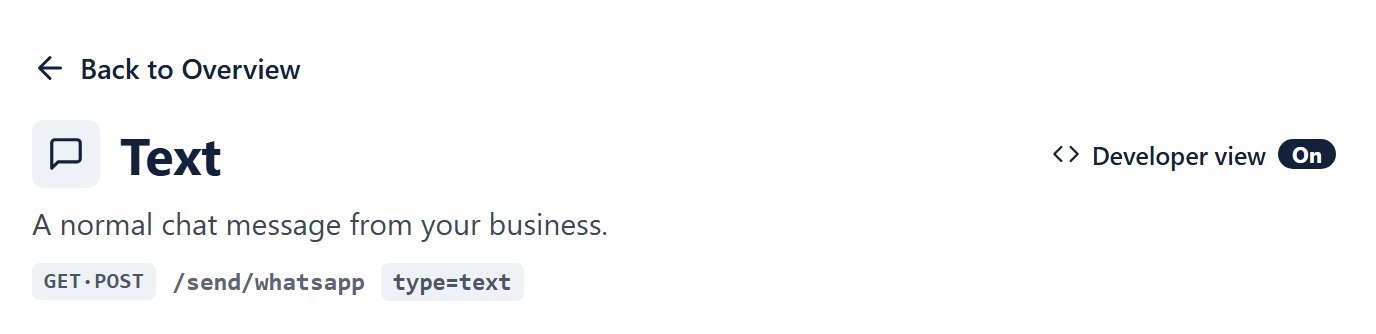
- At the top right of the page, click the Developer view switch so it says On. The page now also shows the technical name of every box (like
recipientandmessage) and the address of the page (like/send/whatsapp). - In the dark panel, under the answer, the fold Link & code for your software is now open by itself. Click cURL, Python, Node.js, PHP or Google Sheets. You get ready code with your values already in it.
- Click Copy code.

Turn the switch Off again and the page goes back to the simple view: the code tabs and the technical names hide, and the fold closes.
Option 1: A PHP website
Put this where your form is saved (after you save the enquiry in your database):
<?php
// Your key is kept in a server setting called EPT_API_KEY, not in the code
$name   = trim(str_replace('|', ' ', $_POST['name'] ?? ''));
$mobile = $_POST['mobile'] ?? '';

$ch = curl_init('https://epublictouch.com/app/api/send/whatsapp');
curl_setopt_array($ch, [
    CURLOPT_POST           => true,
    CURLOPT_RETURNTRANSFER => true,
    CURLOPT_TIMEOUT        => 20,
    CURLOPT_HTTPHEADER     => ['Authorization: Bearer ' . getenv('EPT_API_KEY')],
    CURLOPT_POSTFIELDS     => [
        'recipient' => $mobile,
        'type'      => 'template',
        'template'  => 'enquiry_thanks',
        'params'    => $name !== '' ? $name : 'there',
        'name'      => $name,
    ],
]);
$answer = json_decode((string) curl_exec($ch), true);
curl_close($ch);
// $answer['result'] is "success" or "failed"; $answer['message'] says why
What each part does:
Authorization: Bearer …sends the key in a header. This is safer than putting it in the link.recipientis the mobile number from your form. A 10-digit Indian number is fine.paramsfills{{1}}of the template with the customer's name. We remove the|sign from the name because|separates values.namesaves the customer's name in your Contacts if the number is new.
Option 2: WordPress with Contact Form 7
Add your key to wp-config.php:
define('EPT_API_KEY', 'paste-your-key-here');Then add this to your theme's functions.php (or a small plugin). Change your-name and your-phone to your form's field names:
add_action('wpcf7_mail_sent', function ($form) {
    $data = WPCF7_Submission::get_instance()->get_posted_data();
    $name = trim(str_replace('|', ' ', $data['your-name'] ?? ''));
    wp_remote_post('https://epublictouch.com/app/api/send/whatsapp', [
        'timeout' => 20,
        'headers' => ['Authorization' => 'Bearer ' . EPT_API_KEY],
        'body'    => [
            'recipient' => $data['your-phone'] ?? '',
            'type'      => 'template',
            'template'  => 'enquiry_thanks',
            'params'    => $name !== '' ? $name : 'there',
            'name'      => $name,
        ],
    ]);
});
Option 3: Google Sheets
This sends a template to every row of your sheet and writes the result in column D. Your sheet: A = name, B = mobile, C = order number, D = status (leave empty).
- In your Google Sheet, click Extensions → Apps Script.
- Click Project Settings (gear icon) → Script Properties → Add script property. Name:
EPT_API_KEY, value: your key. This keeps the key out of the code. - Go back to the editor, paste the code below and click Save.
- Choose
sendToAllRowsand click Run. Allow access the first time.
function sendToAllRows() {
  var key = PropertiesService.getScriptProperties().getProperty('EPT_API_KEY');
  var sheet = SpreadsheetApp.getActiveSheet();
  var rows = sheet.getDataRange().getValues();
  for (var i = 1; i < rows.length; i++) {          // row 1 has the headings
    var name = rows[i][0], mobile = rows[i][1], order = rows[i][2], status = rows[i][3];
    if (!mobile || status === 'Sent') continue;    // skip empty and already sent rows
    var res = UrlFetchApp.fetch('https://epublictouch.com/app/api/send/whatsapp', {
      method: 'post',
      headers: { Authorization: 'Bearer ' + key },
      payload: {
        recipient: String(mobile),
        type: 'template',
        template: 'order_update',
        params: [name, order].join('|'),
        ref: 'sheet-row-' + (i + 1)
      },
      muteHttpExceptions: true
    });
    var answer = JSON.parse(res.getContentText());
    sheet.getRange(i + 1, 4).setValue(answer.result === 'success' ? 'Sent' : answer.message);
    Utilities.sleep(600);                          // a small gap between messages
  }
}refis your own ID for each row. If you run the script twice by mistake, the same row is not sent again for 24 hours.- Rows that failed show the reason in column D. Fix them and run again. Rows marked "Sent" are skipped.
Option 4: Zapier, Pabbly, Make or any other tool
Use the tool's "Webhook" or "HTTP request" step:
- Method: POST, URL:
https://epublictouch.com/app/api/send/whatsapp - Header:
Authorization=Bearer YOUR_API_KEY - Body fields:
recipient,type,template,params(form or JSON, both work)
Good habits
- Use a template for first messages to new leads. Use text only when the customer has written to you in the last 24 hours.
- Check
resultin the answer and savemessagewhen it fails. It tells you exactly what went wrong. - Give each website or tool its own key with a daily limit.
- Watch Recent API calls in your panel for the first few days.
What next?
Something not working? Part 9 explains every error message in simple words, with what to do.
Next: Part 9 — Errors and limits
- Part 1: Get your API key
- Part 2: Send your first message
- Part 3: Template messages
- Part 4: Photos, PDFs and videos
- Part 5: Buttons, list menus and posters
- Part 6: Location, contact card, call button and form
- Part 7: Delivery status and replies
- Part 8: Website form and Google Sheet (you are here)
- Part 9: Errors and limits
- Part 10: Moving from another provider
- Part 11: Several messages at once
- Part 12: Set up with AI
Try everything live in the API Tester.
Book Free Demo Try Free Message Checker